
Google TV app transforms your smartphone into a powerful entertainment hub, offering seamless access to thousands of movies, shows, and live channels all in one place.
The streaming landscape has evolved dramatically over recent years, and finding the right content across multiple platforms can feel overwhelming. Google TV emerges as an elegant solution to this modern entertainment challenge, consolidating your favorite streaming services into a single, intuitive interface.
Whether you’re a casual viewer or a dedicated binge-watcher, this application streamlines your viewing experience by intelligently organizing content recommendations, tracking your watchlist, and providing universal search capabilities across all your subscriptions. Let’s explore how this powerful app is reshaping the way we consume digital entertainment.
📱 What Makes Google TV Different from Traditional Streaming Apps
Unlike individual streaming platform apps that only showcase their own libraries, Google TV functions as a comprehensive entertainment aggregator. The application doesn’t host content itself but serves as a centralized command center for all your streaming subscriptions.


This unified approach eliminates the frustration of switching between multiple apps to find something worth watching. Instead of opening Netflix, then Disney+, then HBO Max individually, you can browse recommendations from all these services simultaneously within the Google TV interface.
The app learns your preferences over time, delivering increasingly personalized suggestions based on your viewing history. This intelligent curation means less time scrolling and more time enjoying quality entertainment that actually matches your tastes.
🎬 Discovering Content Across Multiple Platforms
One of the most powerful features is the universal search function. Simply type in a movie title, actor’s name, or genre, and Google TV instantly shows you where that content is available across all your connected streaming services.
This cross-platform visibility is revolutionary. You might discover that a show you wanted to watch is already included in a subscription you’re paying for, rather than renting it elsewhere. The app displays pricing information transparently, helping you make informed viewing decisions.
The “For You” tab curates personalized recommendations drawn from every service you subscribe to, creating a truly customized entertainment feed. This means you’re no longer limited to Netflix’s recommendations or Hulu’s suggestions—you’re seeing the best content from everywhere, all tailored to your unique preferences.
📺 Remote Control Functionality and Device Integration
Beyond content discovery, the Google TV app transforms your smartphone into a fully functional remote control for compatible devices. This feature is particularly useful when your physical remote is misplaced or when you need to type search queries more efficiently.
The virtual remote includes all standard controls—play, pause, volume adjustment, and navigation buttons—plus the convenience of voice commands through Google Assistant integration. Speaking your search queries is often faster and more accurate than typing on a TV interface.
Device casting is seamlessly integrated, allowing you to send content from your phone directly to your television with a single tap. Whether you’re sharing vacation photos, streaming a YouTube video, or continuing a movie you started on your commute, the transition between devices is remarkably smooth.
🔍 Building and Managing Your Personalized Watchlist
The watchlist feature might seem simple at first glance, but its cross-platform functionality makes it indispensable. Add any movie or show from any supported service to your watchlist, and it synchronizes across all your devices.
This means you can browse recommendations on your lunch break, add interesting titles to your watchlist, and those selections will be ready and waiting when you settle in for the evening on your TV. The watchlist also provides notifications when new episodes of saved shows become available.
Google TV intelligently prioritizes your watchlist, surfacing content that’s leaving streaming services soon or new releases from shows you’re following. This proactive approach ensures you never miss important viewing opportunities.
🎭 Exploring Genres, Trending Content, and Curated Collections
The app organizes content into intuitive categories that go beyond basic genres. You’ll find curated collections like “Critics’ Choice,” “Award Winners,” “Hidden Gems,” and seasonal themes that make discovery genuinely enjoyable.
Trending sections highlight what’s popular across all platforms, giving you cultural context about what others are watching. This social dimension to content discovery can introduce you to shows and movies that might not appear in your personalized recommendations but are generating significant buzz.
Family profiles allow different household members to maintain separate watchlists and receive age-appropriate recommendations. Parents can set content restrictions, ensuring children only see suitable programming while adults access the full catalog.
💡 Live TV and Free Content Options
Many users don’t realize that Google TV provides access to hundreds of free, ad-supported streaming channels. This includes news networks, specialty channels covering topics from cooking to wildlife, and classic TV shows available without any subscription.
The live TV guide presents these free channels alongside your paid subscriptions, creating a comprehensive viewing experience reminiscent of traditional cable TV but with modern convenience and flexibility.
For cord-cutters, this feature represents significant value. You can access live news coverage, sports highlights, and niche programming without paying additional subscription fees, making Google TV an economical choice for diverse viewing needs.
🌐 Compatibility with Streaming Services and Devices
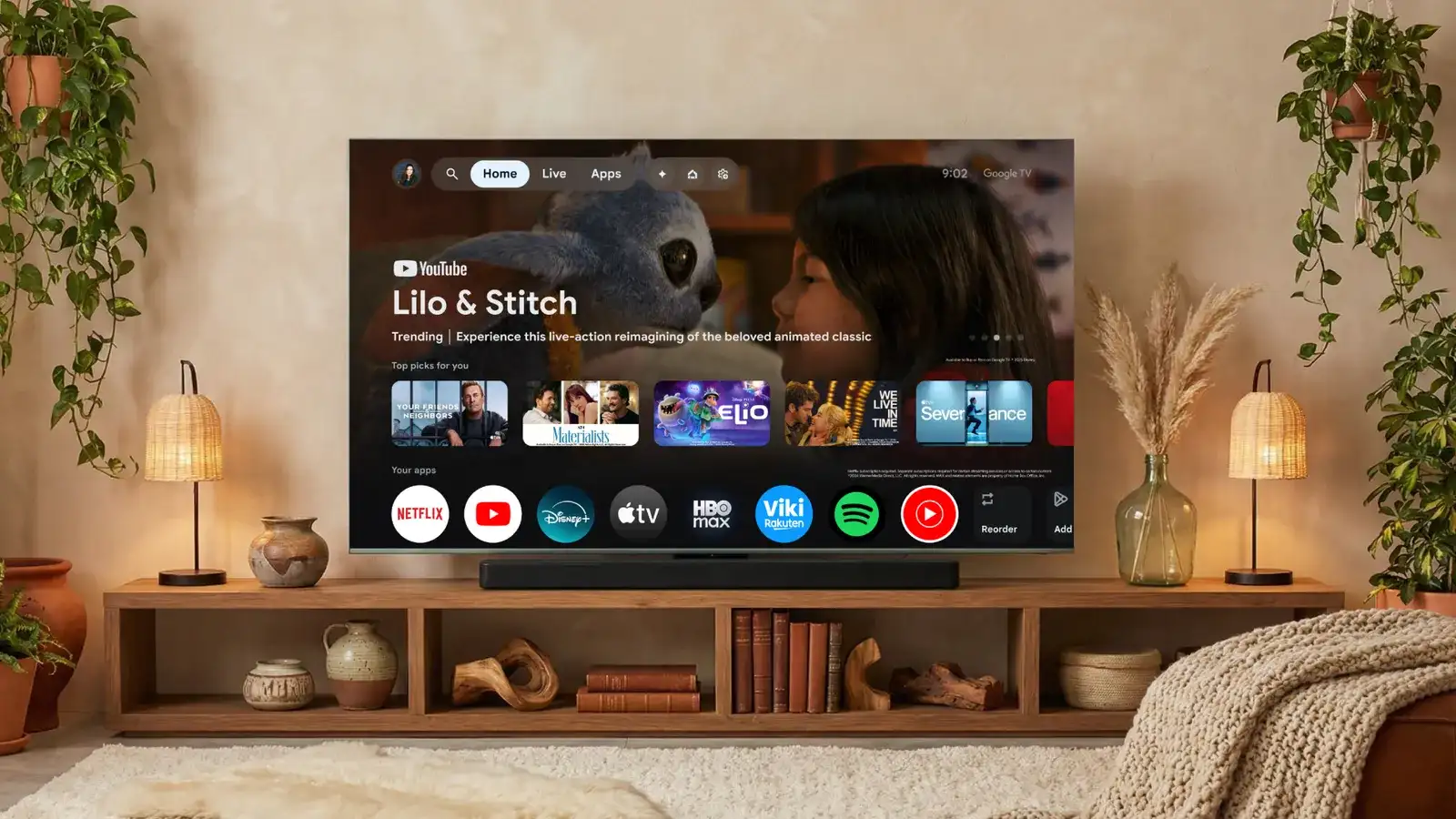
Google TV supports major streaming platforms including Netflix, Disney+, HBO Max, Hulu, Amazon Prime Video, Apple TV+, Paramount+, Peacock, and many others. This broad compatibility ensures most users can integrate their existing subscriptions seamlessly.
The app works with various hardware configurations, from Chromecast devices to smart TVs with Google TV built-in. Android and iOS mobile devices both support the application, ensuring accessibility regardless of your smartphone preference.
However, some services have limitations due to licensing agreements. Certain platforms may not allow content to appear in aggregated searches or may restrict which titles are visible through third-party interfaces. Despite these occasional constraints, the vast majority of popular content remains discoverable.
⚡ Performance, User Interface, and Navigation Experience
The application features a clean, modern interface with high-quality artwork showcasing movies and shows. Navigation is intuitive, with logical menu structures that minimize the learning curve for new users.
Performance is generally excellent, with quick load times and responsive controls. The app updates regularly, incorporating user feedback and adding new features while maintaining stability across different device configurations.
Accessibility features include subtitle support, audio descriptions, and screen reader compatibility, ensuring the platform serves users with diverse needs. The interface scales elegantly across different screen sizes, from compact smartphones to large tablets.
🔐 Privacy Considerations and Data Management
Like most modern applications, Google TV collects viewing data to improve recommendations and personalize your experience. Users concerned about privacy can review and adjust data sharing settings within the app.
The benefit of this data collection is genuinely improved recommendations over time. The algorithm becomes more accurate as it learns your preferences, reducing time spent searching and increasing satisfaction with suggested content.
Google’s privacy policies apply to the TV app, meaning users have options to delete viewing history, manage advertising preferences, and control what information is shared across Google services. Transparency about data usage helps users make informed decisions about their privacy settings.
💰 Cost Analysis: Free Features vs. Subscription Requirements
The Google TV app itself is completely free to download and use. There are no hidden charges, premium tiers, or in-app purchases required to access its core functionality.
Of course, watching content from premium streaming services requires active subscriptions to those platforms. Google TV simply provides the interface to discover and access content—it doesn’t replace your Netflix or Disney+ subscriptions.
The value proposition is substantial for anyone who subscribes to multiple streaming services. By consolidating discovery and reducing time spent searching, the app effectively increases the return on your entertainment investment without adding additional costs.
🚀 Tips for Maximizing Your Google TV Experience
Start by connecting all your streaming subscriptions within the app settings. This ensures comprehensive search results and personalized recommendations that truly reflect your available content libraries.
Use voice search extensively—it’s faster and more convenient than typing, especially when searching for actors with difficult-to-spell names or when browsing from your couch. The voice recognition accuracy is impressive and continues improving.
Regularly review your watchlist and remove items you’re no longer interested in watching. This keeps your queue manageable and helps the recommendation algorithm better understand your current preferences rather than past interests.
Explore the settings menu to customize your experience. You can adjust content filters, manage connected devices, configure parental controls, and fine-tune notification preferences to match your viewing habits.
🎯 How Google TV Compares to Competing Platforms
Apple TV offers similar aggregation features for iOS users, with excellent integration across Apple devices. However, Google TV provides broader compatibility with non-Apple hardware and generally supports more streaming services.
Roku’s platform also aggregates content, particularly on Roku devices, but the mobile app experience is less comprehensive than Google TV. Amazon’s Fire TV has its own aggregation system, though it tends to prioritize Amazon’s own content more heavily.
Google TV strikes an effective balance between comprehensive service support, device compatibility, and user-friendly interface design. The recommendation algorithm is particularly strong, often outperforming competitors in surfacing genuinely interesting content.
🔮 Future Developments and Upcoming Features
Google continues investing in the TV platform, with regular updates introducing new capabilities. Recent additions include enhanced live TV features, improved family sharing options, and deeper integration with smart home devices.
Future development likely will focus on more sophisticated recommendation algorithms, expanded free content offerings, and tighter integration with emerging streaming services as the entertainment landscape evolves.
The platform is also expanding internationally, with localized content recommendations and region-specific streaming service integration rolling out to new markets regularly. This global expansion ensures the app remains relevant for users worldwide.
✨ Why Entertainment Enthusiasts Choose Google TV
For anyone subscribing to multiple streaming services, Google TV solves the fragmentation problem elegantly. The unified search, personalized recommendations, and convenient watchlist management justify making it your primary entertainment interface.
The free content offerings add unexpected value, providing access to live channels and on-demand programming without additional subscriptions. This makes the app valuable even for budget-conscious viewers with limited paid services.
The seamless integration between mobile devices and televisions creates a cohesive entertainment ecosystem. Starting a show on your phone during your commute and continuing on your TV at home feels natural and effortless.
Ultimately, Google TV represents the future of content consumption—platform-agnostic, personalized, and designed around viewer convenience rather than corporate content silos. It transforms the overwhelming abundance of streaming options into a curated, manageable, and genuinely enjoyable viewing experience.
Whether you’re a film buff exploring classic cinema, a TV series addict tracking multiple shows, or a casual viewer looking for something entertaining after work, this application adapts to your needs. The combination of powerful search, intelligent recommendations, and comprehensive service integration makes it an essential tool for modern entertainment consumption.
