
Photo editing apps have revolutionized how we capture, enhance, and share memories, making professional-quality adjustments accessible to everyone with a smartphone.
Whether you’re a social media enthusiast, a budding photographer, or someone who simply wants their pictures to look stunning, photo editing applications offer endless creative possibilities. From basic adjustments like brightness and contrast to advanced features such as AI-powered enhancements and artistic filters, these tools have become essential companions in our digital lives.
The beauty of modern photo editing apps lies in their intuitive interfaces that combine powerful functionality with user-friendly design. You don’t need years of Photoshop training to create eye-catching images anymore—just a few taps can transform an ordinary snapshot into a masterpiece worth sharing with the world. 📸
Why Photo Editing Apps Have Become Essential
The rise of visual-centric social media platforms like Instagram, TikTok, and Pinterest has fundamentally changed how we communicate online. Images are no longer just memories—they’re statements, stories, and sometimes even sources of income for content creators and influencers.


Photo editing applications bridge the gap between amateur snapshots and professional-looking content. They democratize visual creativity, allowing anyone with a smartphone to produce images that compete with professionally shot photographs. This accessibility has sparked a creative renaissance where everyday users experiment with composition, color theory, and visual storytelling.
Moreover, these apps save tremendous amounts of time. What once required hours in a desktop editing suite can now be accomplished during a coffee break. The convenience factor cannot be overstated—immediate editing capabilities mean you can capture, enhance, and share moments almost instantaneously, keeping your content fresh and relevant.
Key Features That Make Photo Editing Apps Powerful
Modern photo editing applications pack an impressive array of features that cater to both beginners and advanced users. Understanding these capabilities helps you choose the right tool for your specific needs.
Basic Adjustments and Corrections ✨
Every quality photo editor includes fundamental adjustment tools that form the foundation of good editing. Brightness, contrast, saturation, and sharpness controls allow you to correct exposure issues and enhance overall image quality. Temperature and tint adjustments help fix color casts caused by different lighting conditions.
Cropping and straightening tools ensure your composition is perfectly framed, while perspective correction features fix distortion in architectural photography or images taken at awkward angles. These basic tools alone can dramatically improve most photographs with minimal effort.
Filters and Presets for Instant Transformation
One-tap filters remain incredibly popular because they deliver instant results. Quality apps offer curated filter collections that emulate various photographic styles—from vintage film looks to modern high-contrast aesthetics. Presets can be customized and saved, allowing you to develop a consistent visual style across your photo library.
The best editing apps provide filters that are subtle and sophisticated rather than harsh or overdone. They enhance the photograph’s natural qualities rather than masking them entirely, resulting in images that look professionally treated rather than obviously filtered.
AI-Powered Enhancements 🤖
Artificial intelligence has revolutionized photo editing by automating complex processes. AI-powered features can remove backgrounds with pixel-perfect accuracy, recognize and enhance faces, remove unwanted objects, and even suggest optimal edits based on image analysis.
Portrait enhancement tools use AI to smooth skin, brighten eyes, and adjust facial features subtly and naturally. Sky replacement features can transform dull overcast skies into dramatic sunsets. These intelligent tools deliver results that would have required advanced skills just a few years ago.
Advanced Editing Capabilities
For users seeking deeper creative control, premium photo editing apps offer layer-based editing, selective adjustments, healing and cloning tools, and advanced color grading options. Curves and levels provide precise control over tonal ranges, while HSL sliders allow targeted color manipulation.
Many applications also include blend modes, masking capabilities, and non-destructive editing workflows that preserve your original image while allowing unlimited experimentation. These professional-grade features make mobile editing a legitimate alternative to desktop software for many photographers.
Choosing the Right Photo Editing App for Your Needs
With hundreds of photo editing applications available, selecting the right one depends on your specific requirements, skill level, and creative goals. Different apps excel in different areas, so understanding what you need will guide your decision.
Consider Your Editing Experience Level
Beginners benefit from apps with intuitive interfaces, helpful tutorials, and automated enhancement options. Look for applications that offer smart suggestions and one-tap improvements alongside manual controls that you can explore as your skills develop.
Intermediate users typically want more control without overwhelming complexity. Apps that balance powerful features with clean, organized interfaces work best. Access to adjustment layers, selective editing, and a comprehensive tool set without requiring a steep learning curve is ideal.
Advanced users and professionals need applications that don’t compromise on capabilities. Full RAW support, precise color management, advanced masking, and compatibility with professional workflows become essential considerations at this level.
Evaluate Feature Sets Against Your Goals 🎯
Social media enthusiasts might prioritize trendy filters, collage makers, and text overlay tools that create platform-ready content quickly. The ability to resize images for different platforms and maintain quality across various aspect ratios becomes important.
Photographers focused on image quality will value robust correction tools, detailed adjustment options, and features that preserve maximum image information. RAW editing capabilities and precision controls matter more than decorative effects.
Content creators often need versatile apps that handle both photos and graphics creation. Text tools, shape elements, sticker libraries, and template systems help produce branded content consistently and efficiently.
Free vs. Premium Considerations
Many excellent photo editing apps offer free versions with substantial functionality. These typically include basic adjustments, a selection of filters, and essential tools sufficient for casual users. Ads or watermarks may be present, and some advanced features remain locked.
Premium subscriptions unlock the full feature set, remove advertisements, provide access to expanding content libraries, and often include cloud storage and syncing across devices. For serious hobbyists and professionals, the investment usually pays for itself through increased efficiency and creative possibilities.
One-time purchase apps offer a middle ground—you pay once and own the software permanently. However, these apps may lack the continuous updates and expanding feature sets that subscription models provide.
Popular Photo Editing Techniques to Master
Knowing your app’s features is one thing; understanding effective editing techniques elevates your results from good to exceptional. These approaches work across most photo editing applications.
The Foundation: Proper Exposure and White Balance
Before applying creative edits, ensure your image has correct exposure and white balance. Adjust highlights to recover blown-out bright areas and lift shadows to reveal hidden details. Set the white balance to neutralize color casts, creating an accurate starting point for further adjustments.
This foundation work makes subsequent edits more effective and natural-looking. Filters and effects applied to properly exposed, color-balanced images yield far superior results than those applied to uncorrected photographs.
Selective Editing for Maximum Impact 💡
Rather than applying adjustments to the entire image, use selective editing tools to enhance specific areas. Brighten subjects’ faces, darken distracting backgrounds, or boost colors in key compositional elements while keeping other areas natural.
Graduated filters work beautifully for skies and landscapes, allowing you to balance exposure between bright skies and darker foregrounds. Radial filters draw attention to your main subject by subtly darkening or desaturating surrounding areas.
Color Grading for Mood and Atmosphere
Color grading transforms the emotional tone of your images. Warm tones (oranges, yellows) create inviting, energetic feelings, while cool tones (blues, teals) evoke calm, contemplative moods. Complementary color schemes (orange and teal, for example) create visually striking images that catch viewers’ attention.
Split toning—adding different color casts to highlights and shadows—creates sophisticated, cinematic looks. Experiment with subtle color shifts rather than dramatic changes for refined, professional results.
Maintaining Natural-Looking Edits
The most effective editing is often invisible. Restraint is key—over-edited images with excessive saturation, artificial skin smoothing, or extreme sharpening look amateurish. Aim for enhancements that make viewers think, “What a great photo,” rather than “That’s heavily edited.”
Use editing sliders at 50-70% intensity rather than maxing them out. Take breaks and return to your edits with fresh eyes before finalizing. Compare edited versions with originals to ensure you haven’t gone too far from the image’s natural qualities.
Maximizing Photo Quality From Capture to Edit
Great editing begins with quality source material. Understanding basic photography principles ensures your photos have the information needed for successful editing.
Capture in the Best Possible Quality
Shoot in your camera’s highest resolution setting and use RAW format if available. RAW files contain significantly more image data than JPEGs, providing greater flexibility during editing, especially when recovering highlights and shadows or adjusting white balance.
Pay attention to lighting when capturing images. Golden hour (shortly after sunrise or before sunset) provides beautiful, soft light that requires minimal correction. Avoid harsh midday sun that creates strong shadows and blown-out highlights that are difficult to fix in editing.
Composition Matters More Than Editing 📐
No amount of editing can fix poor composition. Follow the rule of thirds by placing subjects off-center at imaginary grid intersections. Look for leading lines that draw viewers’ eyes through the image. Consider foreground, middle ground, and background elements to create depth.
Clean, simple compositions work best and require less corrective editing. Before shooting, scan the frame for distracting elements you can eliminate by changing your angle or position.
Understanding File Formats and Resolution
Different output destinations require different specifications. Instagram posts work best at 1080×1080 pixels for square posts, while stories need 1080×1920 pixels. Print requires much higher resolution—typically 300 DPI at the desired print size.
Always edit a copy of your original file, preserving the untouched version. Export edited images in appropriate formats: JPEG for general sharing and web use, PNG when transparency is needed, and TIFF for archival quality or further professional editing.
Creative Effects and Artistic Editing Styles
Once you’ve mastered technical editing, creative effects allow you to develop a distinctive visual signature that makes your work recognizable and memorable.
Black and White Conversion Techniques 🎨
Converting to black and white isn’t simply removing color. The best monochrome images start with channel mixing or color-based tonal adjustments that control how different colors are rendered as gray tones. Blues might become darker for dramatic skies, while reds lighten for flattering skin tones.
Add subtle grain for film-like textures, and experiment with split toning to add warmth (sepia tones) or coolness (selenium tones) to your black and white images. Contrast adjustments become especially important in monochrome photography since you’re working purely with tonal relationships.
Double Exposure and Blending
Creative blending combines multiple images to create surreal, artistic compositions. Portrait photographers often blend portraits with natural textures or cityscapes. These effects require apps with layer capabilities and blend mode options like overlay, screen, or multiply.
Start with images that have complementary compositions—a profile silhouette works beautifully blended with landscape images. Adjust opacity and use masking to control which parts of each image appear in the final composition.
Texture Overlays and Vintage Effects
Adding texture overlays—light leaks, film grain, dust, or scratches—creates vintage, nostalgic aesthetics. These work especially well with appropriate subject matter like retro scenes, portraits with vintage styling, or analog-feeling compositions.
Layer texture images over your photograph using appropriate blend modes, then adjust opacity until the effect enhances rather than overwhelms the image. Subtle application maintains believability while adding character and depth.
Workflow Efficiency and Organization Tips
Developing an efficient editing workflow saves time and ensures consistent results across your photo library. Professional photographers rely on systematic approaches rather than random experimentation.
Establish a Consistent Editing Sequence ⚡
Create a standard order for your adjustments: exposure and white balance first, then composition (crop and straighten), followed by color adjustments, selective edits, sharpening, and finally any creative effects. This sequence builds each adjustment on a solid foundation, preventing you from constantly backtracking and readjusting.
Many apps allow you to save custom presets or workflows that apply your preferred starting adjustments automatically. This accelerates editing, especially when processing multiple images from the same shoot with similar lighting conditions.
Batch Editing for Similar Images
When you’ve edited one image from a series successfully, copy those settings and apply them to similar photos. Most quality apps support copying adjustments between images or creating presets from edited photos. This ensures visual consistency across photo sets and dramatically reduces editing time.
Batch editing works best for images shot in the same location with consistent lighting. You’ll still need to fine-tune individual images, but the bulk of the work is completed automatically.
Organization and Asset Management
Maintain organized photo libraries by creating albums or collections for different projects, events, or subjects. Use rating systems or flags to identify your best images, focusing your editing efforts where they’ll have the most impact.
Delete obvious failures immediately rather than cluttering your library with unusable images. Keep only photos worth editing or those with sentimental value. This discipline makes finding and working with your best images much easier.
Common Photo Editing Mistakes to Avoid
Even experienced editors fall into certain traps that diminish image quality or create unnatural-looking results. Awareness of these common mistakes helps you maintain high standards.
Over-Saturation and Unnatural Colors 🚫
Cranking up saturation makes colors pop, but excessive saturation creates garish, unrealistic images with clipped color channels and loss of detail. Instead, increase vibrance, which boosts muted colors while protecting already-saturated tones, or use selective color adjustments to enhance specific hues.
Monitor skin tones especially carefully—they should look healthy and natural, not orange or oversaturated. Compare your edited image to the original periodically to ensure colors remain believable.
Excessive Sharpening and Clarity
Oversharpening creates harsh halos around edges and emphasizes noise and imperfections. Apply sharpening as your final step and zoom to 100% to check results. Different output destinations require different sharpening amounts—screen display needs less than print.
Similarly, maxing out clarity or structure sliders creates crunchy, artificial textures. Use these tools moderately, particularly on portraits where excessive clarity emphasizes skin texture and imperfections unflattering.
Losing Detail in Shadows and Highlights
Pushing shadow recovery too aggressively introduces noise and creates flat, muddy tones. Similarly, over-recovering blown highlights can look unnatural. Sometimes it’s better to embrace deep blacks or bright highlights as part of the image’s character rather than forcing detail into every tonal range.
Check histograms to ensure you’re maintaining good tonal distribution without clipping important information. A well-balanced histogram typically shows information spread across the tonal range without excessive bunching at either extreme.
Future Trends in Photo Editing Applications
The photo editing landscape continues evolving rapidly, with emerging technologies promising even more powerful and accessible tools in the near future.
AI and Machine Learning Advancements 🤖
Artificial intelligence will become increasingly sophisticated, understanding image context and intent to suggest edits automatically. AI will handle tedious tasks like object removal, background replacement, and complex selections with minimal user input, allowing editors to focus on creative decisions.
Neural filters that can change time of day, weather conditions, or even artistic style are becoming more convincing and accessible. These tools will blur the line between photography and digital art, opening new creative possibilities.
Augmented Reality Integration
AR features will allow real-time preview of edits and effects before capturing images. Imagine seeing exactly how different lighting setups or post-processing styles will look while composing your shot, adjusting accordingly before pressing the shutter.
Virtual try-on features for filters, effects, and editing styles will become more sophisticated, helping users visualize results before committing time to extensive editing.
Cross-Platform Workflows and Cloud Integration ☁️
Seamless workflows across smartphones, tablets, and desktop computers will become standard. Start editing on your phone during your commute, continue on your tablet at home, and finalize on your computer—all without manually transferring files or losing edit history.
Cloud-based processing will leverage powerful remote servers to handle computationally intensive tasks that would slow down mobile devices, delivering desktop-level performance on smartphones.
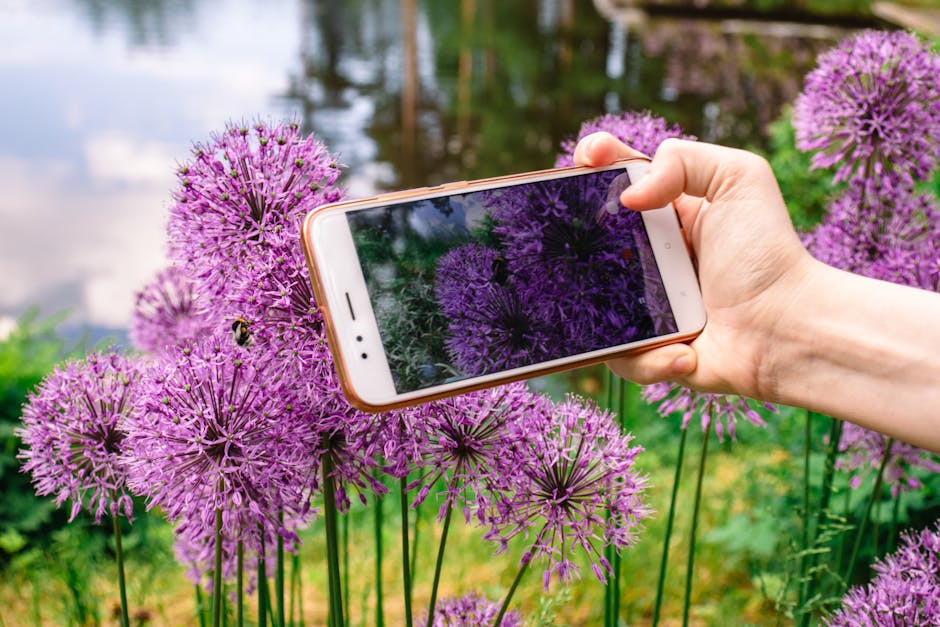
Making the Most of Your Photo Editing Journey
Photo editing is both a technical skill and an artistic pursuit. While understanding tools and techniques is important, developing your creative vision matters equally. Don’t simply copy popular editing styles—experiment to discover what resonates with your personal aesthetic.
Study images you admire and analyze what makes them effective. Notice how light, color, composition, and editing work together to create impact. Practice regularly, even with ordinary subjects, because consistent practice builds intuition and efficiency.
Join online communities where photographers share work and techniques. Constructive feedback accelerates improvement, and seeing diverse approaches expands your creative toolkit. Many successful photographers credit learning communities with transforming their skills.
Remember that editing should enhance your photographs, not salvage poor ones. Focus first on improving your photography fundamentals—lighting, composition, timing—then use editing to refine and perfect already-strong images. This approach produces consistently excellent results rather than occasionally rescuing disasters through editing heroics. 🌟
Most importantly, enjoy the creative process. Photo editing offers unlimited opportunities for expression and experimentation. Whether you’re perfecting memories for personal albums or creating content for professional purposes, the skills you develop will serve you throughout your visual storytelling journey.
