
Voice assistants have transformed how we interact with technology, and Alexa stands out as one of the most versatile companions in daily life.
The Alexa app serves as the central hub for managing your Amazon Echo devices, smart home integrations, and voice-activated features. Whether you’re setting up your first Echo speaker or expanding your connected ecosystem, this application unlocks the full potential of voice control in your living space.
From playing your favorite music and controlling lights to ordering groceries and checking weather forecasts, the Alexa app empowers users with seamless voice commands. Understanding how to maximize this powerful tool can significantly enhance your productivity and entertainment experience at home.
🎯 Getting Started with the Alexa Application
Downloading and installing the Alexa app is your first step toward creating a smart home environment. Available for both Android and iOS devices, the application provides an intuitive interface that guides users through initial setup procedures. The registration process connects your Amazon account with your voice assistant devices, creating a personalized ecosystem.
Once installed, the app immediately scans for compatible devices within range. This automatic detection simplifies the pairing process, making it accessible even for those new to smart home technology. The guided setup walks you through network configuration, ensuring your devices connect securely to your Wi-Fi network.
The welcome screen introduces you to Alexa’s core capabilities, showcasing featured skills and popular voice commands. This introductory tour helps new users understand the breadth of possibilities available through voice interaction. Customizing your preferences during setup ensures a tailored experience from day one.


📱 Essential Features That Define the Experience
The Alexa app functions as much more than a simple remote control for Echo devices. It serves as a comprehensive dashboard where you manage skills, routines, and connected devices from a centralized location. The interface organizes features into logical categories, making navigation straightforward and efficient.
Voice Command History and Management
Every interaction with Alexa gets recorded in your voice history, accessible through the app’s activity section. This feature allows you to review past commands, delete specific recordings, or disable voice storage entirely. Understanding your usage patterns helps optimize future interactions and troubleshoot any misunderstood requests.
The playback function lets you hear exactly what Alexa heard, revealing why certain commands might not have worked as expected. This transparency empowers users to refine their speech patterns and improve recognition accuracy over time.
Smart Home Integration Hub
Connecting third-party smart devices becomes effortless through the app’s device management section. Compatible products from hundreds of manufacturers integrate seamlessly, creating a unified control system. From thermostats and security cameras to door locks and coffee makers, centralized management simplifies daily routines.
The app automatically discovers compatible devices on your network, presenting them for quick pairing. Manual addition remains available for devices requiring specific setup procedures. Grouping devices by room or function enables coordinated control through single voice commands.
🛠️ Customizing Alexa Skills for Enhanced Functionality
Skills represent one of Alexa’s most powerful features, functioning like applications that expand your assistant’s capabilities. The app’s skill store contains thousands of options across categories including productivity, entertainment, education, and home automation. Installing skills requires just a tap, instantly adding new voice-activated functions.
Popular skills range from meditation guides and recipe assistants to language learning tools and trivia games. Third-party developers continuously create innovative skills, ensuring fresh content and capabilities emerge regularly. Exploring featured collections helps discover hidden gems that align with your interests.
Enabling skills directly impacts what Alexa can accomplish through voice commands. Some skills require account linking with external services, creating seamless bridges between platforms. Managing enabled skills through the app ensures you maintain only those providing genuine value.
Creating Personalized Routines
Routines automate multiple actions through single voice commands or scheduled triggers. The app’s routine builder lets you chain together device controls, information updates, and skill activations. Morning routines might adjust lights, deliver news briefings, and start your coffee maker simultaneously.
Time-based triggers execute routines automatically without voice prompts. Arrival and departure detection uses your smartphone location to trigger home automation sequences. This intelligent automation adapts your environment to your lifestyle patterns.
Customizing routine phrases allows natural language commands that feel conversational. You’re not limited to rigid command structures—Alexa learns to recognize your preferred phrasing. Editing and duplicating routines accelerates the creation of similar automation sequences.
🎵 Entertainment and Media Capabilities
Music streaming services integrate deeply with the Alexa ecosystem, controlled effortlessly through the app. Linking accounts from Spotify, Apple Music, Amazon Music, or Pandora enables voice-controlled playback across your Echo devices. The app serves as both a remote and a music management interface.
Creating playlists, managing queues, and discovering new music happens directly within the application. Multi-room audio grouping synchronizes playback across multiple speakers, filling your entire home with coordinated sound. Adjusting volume levels for individual devices or groups maintains perfect acoustic balance.
Podcast management, audiobook playback, and radio streaming expand entertainment options beyond music. The app remembers your position in long-form content, enabling seamless continuation across devices. Voice commands make hands-free control natural during cooking, cleaning, or exercising.
Visual Content on Echo Show Devices
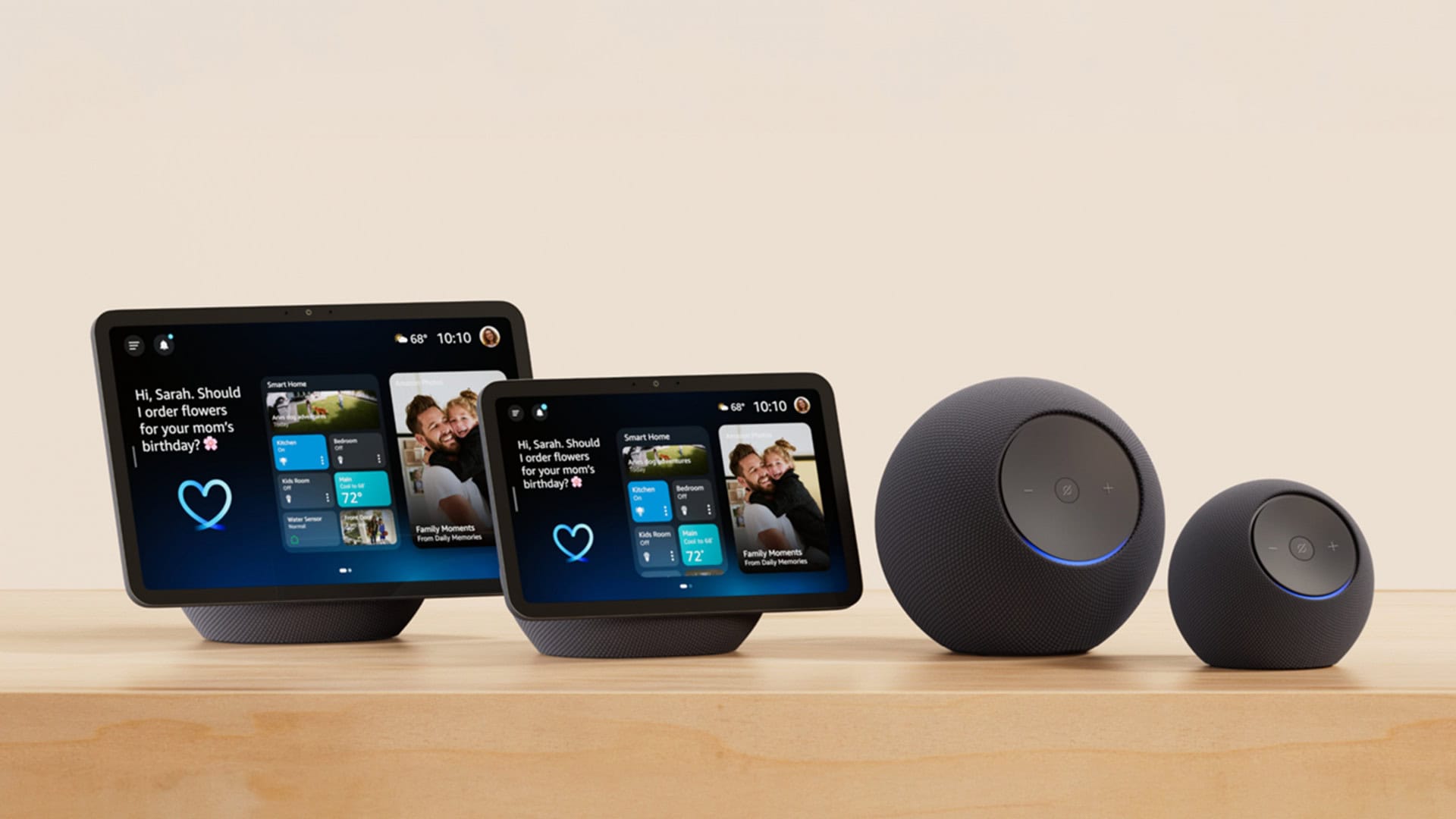
For Echo Show and other display-equipped devices, the app unlocks visual content management. Photo albums from Amazon Photos display as rotating screensavers, personalizing your device. Video calling features connect with other Alexa users, transforming your Echo into a communication hub.
Recipe videos, YouTube content, and Prime Video integration leverage the visual display. Controlling what appears on your Echo Show screen happens conveniently through the smartphone app. Customizing clock faces and themes personalizes the aesthetic to match your decor.
🔒 Privacy Controls and Security Features
Privacy concerns surrounding voice assistants receive significant attention within the Alexa app. Comprehensive controls allow users to manage exactly what data gets collected and stored. Deleting voice recordings individually or in bulk takes just seconds through the privacy settings.
Automatic deletion schedules can remove recordings after three or eighteen months, balancing convenience with privacy. Muting the microphone physically on Echo devices provides additional reassurance when privacy is paramount. The app clearly displays when devices are listening versus processing commands.
Account security features include two-factor authentication and voice purchase confirmation codes. These safeguards prevent unauthorized access and accidental purchases through voice commands. Managing who can access Drop In calling and messaging maintains control over communication features.
💡 Troubleshooting Common Issues Through the App
When devices stop responding or commands fail, the app provides diagnostic tools and solutions. Connection status indicators reveal network issues affecting device performance. Restarting devices remotely through the app often resolves temporary glitches without physical intervention.
The help section contains guided troubleshooting for common problems, from setup difficulties to skill malfunctions. Community forums accessible through the app connect users experiencing similar issues. Amazon support integration enables direct assistance for persistent problems.
Software updates deploy automatically, but checking for updates manually ensures devices run the latest firmware. The app notifies you of available updates and new features becoming available. Staying current maximizes performance and security across your Alexa ecosystem.
🌐 Multi-User Profiles and Household Management
Household profiles enable personalized experiences for different family members sharing Echo devices. Voice recognition distinguishes between users, delivering customized responses based on individual preferences. Music libraries, calendars, and shopping lists remain separate while sharing common smart home controls.
Adding household members through the app grants appropriate access levels without compromising account security. Kids profiles include parental controls, filtering content and limiting purchasing capabilities. Each profile maintains independent voice history and personalization settings.
Switching between profiles happens automatically through voice recognition or manually through the app. This flexibility accommodates guests while preserving personalized experiences for regular users. Managing who has access to specific features maintains appropriate boundaries within shared spaces.
📊 Maximizing Productivity with Alexa Integration
Calendar synchronization connects Google Calendar, Microsoft Outlook, and Apple Calendar to your Alexa assistant. Voice queries about upcoming appointments and verbal reminders keep schedules organized. Adding events through voice commands streamlines time management during busy days.
Shopping and to-do lists update across devices and the app simultaneously. Family members can add items verbally throughout the day, ensuring nothing gets forgotten. The app provides manual editing capabilities for list organization and categorization.
Email reading, news briefings, and traffic updates deliver timely information hands-free. Customizing Flash Briefing sources ensures you receive relevant updates from preferred news providers. Weather forecasts, sports scores, and stock prices answer common daily questions instantly.
🏡 Advanced Smart Home Automation Scenarios
Beyond basic device control, advanced users create sophisticated automation ecosystems. Conditional logic within routines triggers actions based on sensor inputs or device states. Temperature sensors can adjust thermostats automatically, while motion detectors activate security measures.
Integration with IFTTT and similar automation platforms expands possibilities exponentially. Creating applets that connect Alexa with services lacking native skills unlocks creative solutions. The app manages these connections, providing visibility into complex automation chains.
Energy monitoring through compatible smart plugs reveals consumption patterns and opportunities for savings. Scheduling devices to operate during off-peak hours reduces utility costs. The app’s analytics provide insights into smart home usage trends over time.
🎤 Voice Shopping and Commerce Features
Amazon’s e-commerce integration enables voice-activated shopping through linked Prime accounts. Reordering frequently purchased items takes seconds with simple voice commands. The app manages shopping preferences, delivery addresses, and payment methods securely.
Voice purchasing controls prevent accidental orders, requiring confirmation codes for transactions. Reviewing order history and tracking shipments happens directly within the Alexa application. Deal alerts and product recommendations appear based on your shopping patterns and preferences.
Subscribe and Save programs integrate with voice reordering, ensuring household essentials arrive automatically. Managing subscriptions, adjusting delivery schedules, and pausing shipments maintains flexibility. This seamless commerce experience transforms how families handle routine purchasing.
🌟 Future-Proofing Your Alexa Experience
Regular engagement with the app ensures you discover new features as Amazon releases them. Beta programs accessible through settings provide early access to experimental capabilities. Feedback mechanisms allow users to shape future development priorities.
Expanding your device ecosystem gradually creates comprehensive coverage throughout living spaces. Strategic placement of Echo devices ensures voice coverage in key areas. The app helps identify coverage gaps and suggests optimal device placement.
Staying informed about compatible device launches keeps your smart home current with emerging technology. Amazon’s continuous innovation means new integrations and capabilities arrive regularly. The Alexa app remains your gateway to this evolving ecosystem, centralizing control and customization.
Embracing voice assistant technology represents more than adopting a gadget—it transforms daily routines into streamlined experiences. The Alexa app serves as the foundation for this transformation, providing the tools needed to create truly personalized smart environments. Whether you’re just beginning your journey or optimizing an established setup, mastering the application unlocks Alexa’s complete potential.
