
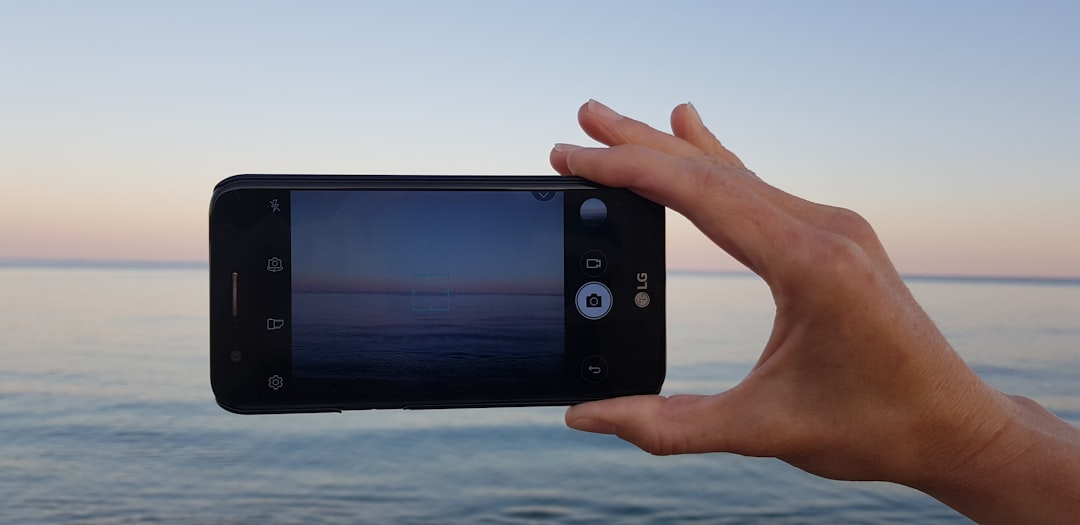
Photo editing apps have revolutionized how we capture, enhance, and share our visual stories, turning ordinary snapshots into stunning masterpieces with just a few taps on our smartphones.
Whether you’re a social media enthusiast, professional photographer, or someone who simply loves creating beautiful images, having the right photo editing application on your device can make all the difference. These powerful tools have democratized creative expression, allowing anyone to achieve professional-quality results without expensive software or technical expertise.
The evolution of mobile photo editing has been remarkable. What once required desktop computers and complex programs can now be accomplished effortlessly on smartphones. Modern editing apps offer an impressive range of features, from basic adjustments like brightness and contrast to advanced capabilities such as AI-powered enhancements, background removal, and sophisticated color grading. ✨
Why Photo Editing Apps Have Become Essential
In today’s visually-driven digital landscape, the quality of your photos can significantly impact how your content is perceived. Social media platforms prioritize engaging visual content, and well-edited photos consistently receive more attention, shares, and engagement than unedited ones.


Photo editing applications bridge the gap between amateur photography and professional-looking results. They compensate for lighting issues, enhance colors that might appear dull in raw images, and allow creative expression through filters, effects, and artistic adjustments. The convenience factor cannot be overstated—you can edit photos immediately after taking them, wherever you are.
Beyond social media, these apps serve practical purposes for small business owners who need product photos, content creators building their personal brands, and anyone wanting to preserve memories in the best possible way. The accessibility of professional-grade editing tools has leveled the playing field, enabling creativity without barriers.
Core Features Every Quality Photo Editor Should Offer
When selecting an application for editing photos, certain fundamental features distinguish exceptional apps from mediocre ones. Understanding these capabilities helps you choose the tool that best matches your needs and creative vision.
Basic Adjustment Controls 🎨
The foundation of any photo editor includes essential adjustment tools that correct and enhance your images. Brightness and contrast controls allow you to fix exposure issues, while saturation adjustments make colors pop or create subdued, sophisticated looks. Temperature and tint sliders help correct color casts caused by different lighting conditions.
Sharpness and clarity tools bring out details and textures, making your photos appear crisper and more defined. Shadow and highlight recovery capabilities rescue detail from overexposed or underexposed areas. These fundamental controls provide the building blocks for transforming average photos into eye-catching images.
Advanced Editing Capabilities
Beyond basics, sophisticated photo editing apps offer selective adjustments that target specific areas of your image. Brush and gradient tools let you apply adjustments locally rather than affecting the entire photo. This precision enables professional-level control over your final result.
Curve adjustments provide granular control over tonal ranges, allowing advanced users to craft specific moods and atmospheres. HSL (Hue, Saturation, Luminance) controls target individual color channels, offering precise color manipulation that can completely transform an image’s aesthetic.
Creative Tools and Effects
Filters and presets offer one-tap transformations that apply cohesive looks to your photos. While purists might scoff at filters, well-designed presets serve as excellent starting points that you can further customize. Quality apps provide diverse filter collections spanning vintage aesthetics, modern looks, and artistic interpretations.
Text and graphics capabilities transform photos into shareable content for social media. Adding captions, stickers, frames, and graphic elements helps convey messages and create branded content. Collage features let you combine multiple photos into single compositions, perfect for storytelling and showcasing different perspectives.
Specialized Editing Functions That Elevate Your Photos
Modern photo editing applications incorporate increasingly sophisticated features powered by artificial intelligence and advanced algorithms. These specialized tools tackle specific challenges and unlock creative possibilities previously reserved for desktop software.
Background Removal and Replacement 🔄
AI-powered background removal has become remarkably accurate, allowing you to isolate subjects and either remove backgrounds entirely or replace them with different scenes. This capability opens creative doors for product photography, professional portraits, and imaginative composites.
The technology recognizes complex edges like hair and fur with impressive precision, delivering clean cutouts that would have required painstaking manual work just years ago. You can transport subjects to different locations, add solid colors for professional presentations, or create transparent backgrounds for logos and graphics.
Portrait Enhancement Features
Dedicated portrait tools smooth skin while preserving natural texture, remove blemishes, brighten eyes, and enhance smiles. These features use facial recognition to apply adjustments appropriately, ensuring natural-looking results rather than obviously edited appearances.
Reshape tools allow subtle adjustments to facial features and body proportions, though ethical considerations around digital manipulation are important to acknowledge. The best applications strike a balance between enhancement and authenticity, helping people look their best without creating unrealistic standards.
Object Removal and Clone Stamping
Unwanted photobombers, trash cans, power lines, and other distracting elements can ruin otherwise perfect photos. Object removal tools intelligently fill in removed areas by analyzing surrounding pixels and reconstructing what should be there. The results can be remarkably seamless when used properly.
Clone stamp tools allow manual duplication of image areas, useful for extending backgrounds, covering imperfections, or creative effects. While requiring more skill than automatic removal, these tools provide greater control for complex situations.
Organizing Your Editing Workflow for Consistency
Developing a systematic approach to photo editing ensures consistency across your images and streamlines your creative process. Professional photographers and successful content creators follow workflows that balance efficiency with quality.
Start with foundational corrections—straightening horizons, correcting perspective distortion, and cropping for composition. Address exposure and white balance issues before moving to creative adjustments. This sequence ensures you’re building on a solid technical foundation rather than applying creative effects to flawed fundamentals.
Next, tackle global adjustments that affect the entire image—overall contrast, color saturation, and tonal balance. Only after establishing this base should you move to selective adjustments targeting specific areas. This progression prevents contradictory edits and maintains cohesive results.
Finally, apply finishing touches like sharpening, vignettes, or grain for specific aesthetic effects. Sharpening should always come last, as it amplifies whatever exists in your image, including any imperfections. Developing this disciplined workflow becomes second nature with practice, dramatically improving both efficiency and results. 📸
Creating Signature Styles Through Consistent Editing
One hallmark of successful visual creators is recognizable aesthetic consistency. Whether you’re building a personal brand, curating an Instagram feed, or developing a photography portfolio, maintaining a cohesive style helps your work stand out and become memorable.
Study creators whose aesthetics resonate with you and analyze what makes their editing distinctive. Is it warm or cool tones? High or low contrast? Saturated or muted colors? Identifying these elements helps you define your own preferences and develop intentional choices rather than randomly applying different looks.
Many photo editing apps allow you to save custom presets, capturing your preferred adjustments for quick application to future images. Creating personal presets ensures consistency while saving time. You can develop different presets for various lighting conditions or subject matter while maintaining overall stylistic coherence.
Remember that consistency doesn’t mean monotony. Your signature style should be flexible enough to accommodate different subjects and situations while maintaining recognizable threads that tie your body of work together. Think of it as visual grammar—consistent rules that create cohesion while allowing creative variation.
Mobile Editing vs. Desktop Software: Finding the Right Balance
While mobile photo editing apps have become impressively powerful, understanding their strengths and limitations compared to desktop software helps you choose the right tool for each situation. Both have valuable places in modern photography workflows.
Mobile apps excel at convenience, immediate editing, and social sharing. They’re perfect for quick edits, social media content, and situations where you want to capture, edit, and share without delay. The touchscreen interface makes certain adjustments, like selective masking, surprisingly intuitive. For many users and use cases, mobile apps provide everything necessary.
Desktop software still holds advantages for complex projects, large file sizes, precise color management, and workflows involving multiple programs. Professional retouching, commercial work, and images destined for large prints often benefit from desktop capabilities. The larger screen facilitates detailed work, and more powerful processors handle intensive operations faster.
Many photographers adopt hybrid workflows—culling and basic editing on mobile devices, then finishing critical images on desktop when needed. This approach maximizes convenience without sacrificing quality for important work. Cloud synchronization between mobile and desktop apps makes these hybrid workflows seamless.
Learning Resources to Master Photo Editing Skills 📚
Even the most powerful photo editing application won’t deliver impressive results without skill and understanding. Fortunately, abundant learning resources help users progress from novice to accomplished editor, regardless of starting point.
Most quality apps include built-in tutorials that introduce features and demonstrate techniques. These tutorials are specifically designed for the app’s interface, making them immediately applicable. Don’t skip these resources—they provide efficient orientation and often reveal capabilities you might otherwise overlook.
YouTube hosts countless photo editing tutorials ranging from beginner fundamentals to advanced techniques. Searching for tutorials specific to your app yields targeted guidance, while general photography education channels teach universal principles applicable across all editing platforms. The visual nature of video makes complex techniques easier to understand than text descriptions.
Photography and editing communities on social media platforms offer inspiration, feedback, and collective knowledge. Following skilled editors exposes you to diverse approaches and creative possibilities. Many creators share before-and-after comparisons with editing breakdowns, providing valuable insight into their processes.
Practice remains the most effective teacher. Experiment freely, make mistakes, and push tools beyond their comfortable uses. Save your work at various stages so you can compare approaches. Regular editing develops intuition for what adjustments will achieve desired results, transforming mechanical tool application into fluid creative expression.
Common Editing Mistakes and How to Avoid Them
Even with powerful tools at your fingertips, certain pitfalls trap beginners and sometimes even experienced editors. Recognizing these common mistakes helps you develop better editing habits and achieve more polished results.
Over-editing creates artificial-looking images that scream “edited.” When saturation reaches neon levels, skin appears plasticky, or contrast becomes extreme, you’ve crossed from enhancement to distortion. Develop restraint by making adjustments incrementally and periodically viewing your image against the original. If you can’t remember what the original looked like, you’ve probably gone too far. ⚠️
Neglecting proper exposure correction before applying creative adjustments builds on flawed foundations. Always address technical issues first—proper exposure, white balance, and straight horizons establish the baseline for successful creative edits. Applying beautiful color grading to poorly exposed images yields disappointing results.
Ignoring image composition during the editing phase means missing opportunities to strengthen your photos. Cropping strategically improves composition by eliminating distractions, following established principles like the rule of thirds, and emphasizing your subject. Sometimes the most impactful “edit” is thoughtful cropping.
Using identical edits across all photos regardless of context creates monotonous results. Different subjects, lighting conditions, and intended uses require tailored approaches. While maintaining stylistic consistency matters, thoughtlessly applying the same preset to every image ignores each photo’s unique characteristics and potential.
Maximizing Your App’s Potential Through Hidden Features
Most photo editing applications contain powerful features that casual users never discover. Exploring beyond the obvious tools unlocks capabilities that dramatically expand creative possibilities and workflow efficiency.
Gesture controls and shortcuts often remain hidden until you specifically seek them out. Many apps support pinch-to-zoom for precise work, two-finger swipes to undo/redo, and long-presses to reveal additional options. Learning these shortcuts transforms editing from tedious menu navigation into fluid creative flow.
Batch editing capabilities let you apply the same adjustments to multiple photos simultaneously, essential for maintaining consistency across series or quickly processing event photos. Some apps allow copying adjustments from one image and pasting them to others, while others offer more sophisticated batch processing with selective application.
Export settings significantly impact final image quality but often receive insufficient attention. Understanding resolution, compression, and format options ensures your edited masterpieces display optimally in their intended context. Images for Instagram require different export settings than those destined for printing or high-resolution display.
The Future of Mobile Photo Editing Technology 🚀
Photo editing applications continue evolving rapidly, with emerging technologies promising even more powerful and accessible tools. Understanding these trends provides glimpses of editing’s future and helps you anticipate new creative possibilities.
Artificial intelligence increasingly handles complex tasks that previously required expertise and time. AI-powered sky replacement, style transfer, and content-aware adjustments represent just the beginning. Future developments will likely deliver even more sophisticated automatic enhancements while maintaining natural results and artistic control.
Computational photography blurs the line between capture and editing, with devices processing multiple exposures and applying algorithms during the capture process itself. This integration means “straight from camera” images already incorporate editing decisions, while apps provide tools to further refine or modify these computational choices.
Collaborative editing features enable multiple users to work on the same project, valuable for teams and educational contexts. Cloud integration facilitates seamless workflows across devices, ensuring your projects, presets, and settings remain accessible whether you’re working on phone, tablet, or computer.
As technology advances, photo editing apps will likely become even more intuitive, with interfaces that adapt to individual users’ skill levels and preferences. The barrier between creative vision and technical execution continues shrinking, democratizing visual expression and enabling more people to share their unique perspectives through compelling imagery.

Making Photo Editing Part of Your Creative Journey
The right photo editing application transforms from mere tool to creative partner, helping you develop and express your visual voice. Whether you’re enhancing vacation memories, building a social media presence, or pursuing photography seriously, mastering editing skills amplifies your creative impact.
Start with realistic expectations—expertise develops gradually through practice and experimentation. Focus on understanding fundamental principles before chasing trendy effects. A solid grasp of exposure, color, and composition creates the foundation for any style you choose to pursue.
Remember that editing should enhance rather than fix fundamentally flawed images. The best edits begin with well-composed, properly exposed photos. Investing effort in capture quality reduces editing time and delivers superior final results. Think of editing as refining and polishing rather than salvaging.
Most importantly, let your personal aesthetic guide your editing choices rather than blindly following trends. The goal isn’t creating images that look like everyone else’s but developing a distinctive visual voice that authentically represents your perspective and creativity. The tools exist to serve your vision, not dictate it. 🎭
With powerful photo editing applications readily available and abundant learning resources at your fingertips, there’s never been a better time to explore creative image editing. Download an app, experiment with its features, and discover how these remarkable tools can transform your photography and visual storytelling. Your unique creative journey awaits.
