
Remote control apps have revolutionized how we interact with our entertainment systems, turning smartphones into powerful universal remotes that manage multiple devices effortlessly.
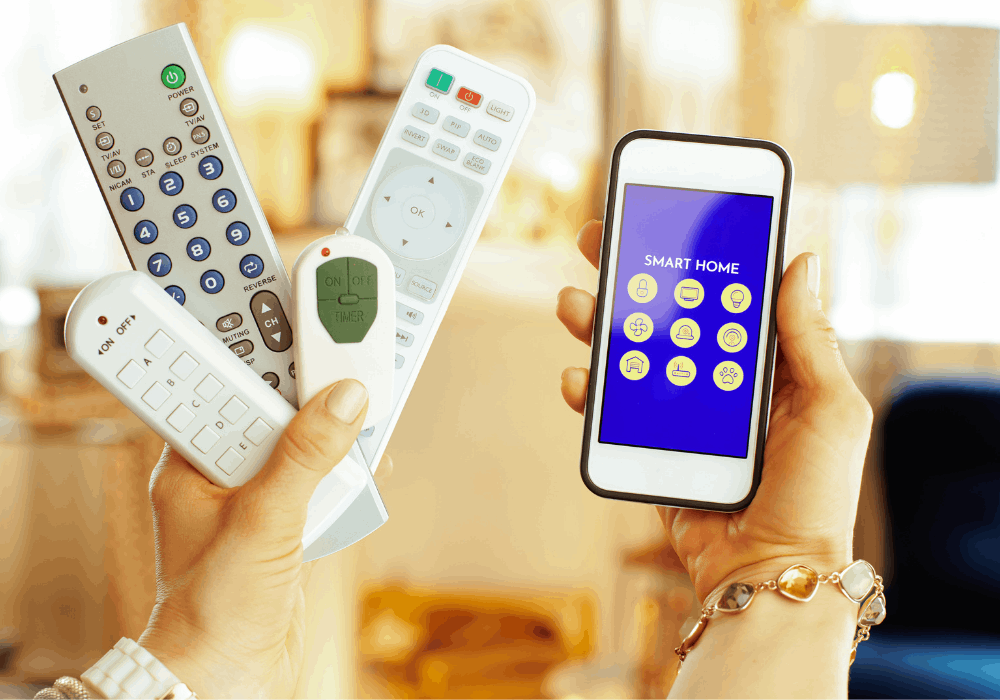
Gone are the days of juggling multiple remotes for your TV, streaming device, sound system, and air conditioner. Today’s technology allows your smartphone to seamlessly replace these cluttered accessories with a single, intuitive application that fits right in your pocket.
Whether you’ve lost your original remote, want to consolidate your devices, or simply prefer the convenience of controlling everything from your phone, remote control apps offer a practical solution that’s changing how we experience home entertainment and smart living. 📱
Why Remote Control Apps Are Becoming Essential
The shift toward smart homes and connected devices has created a perfect environment for remote control applications to thrive. These apps aren’t just convenient—they’re becoming necessary tools for managing our increasingly digital lifestyles.


Modern households typically contain multiple IR-controlled devices, from televisions and cable boxes to air conditioners and projectors. Instead of maintaining separate physical remotes for each device, a single app consolidates everything into one streamlined interface.
The convenience factor is undeniable. Your smartphone is already something you carry everywhere, making it the perfect platform for a universal remote. You won’t need to search between couch cushions or worry about dead batteries in multiple remotes anymore.
Additionally, these apps often provide enhanced functionality beyond what traditional remotes offer. Features like customizable layouts, voice commands, and automation routines transform basic remote control into a sophisticated smart home management system. ✨
How Remote Control Apps Actually Work
Understanding the technology behind these applications helps appreciate their capabilities and limitations. Most remote control apps utilize infrared (IR) technology, the same method traditional remotes have used for decades.
Your smartphone needs an IR blaster—a small component that emits infrared light signals—to communicate with devices. Many Android phones include this hardware, particularly models from brands like Xiaomi, Huawei, and Samsung’s older Galaxy series.
For phones without built-in IR blasters, some apps offer Wi-Fi-based control for smart TVs and streaming devices. This method connects directly to your home network and communicates with compatible devices through your router.
The app itself contains a database of IR codes for thousands of device models. When you select your TV brand and model, the app retrieves the appropriate signal codes and transmits them through your phone’s IR blaster when you press virtual buttons.
Key Features That Make These Apps Stand Out 🌟
Not all remote control apps are created equal. The best ones incorporate features that enhance usability and provide genuine value beyond basic button replication.
Universal Device Compatibility
Top-tier apps support extensive device libraries spanning hundreds of brands and thousands of models. This ensures you can control virtually any IR-enabled device in your home, from vintage equipment to the latest smart technology.
The ability to manually add devices and create custom button configurations ensures compatibility even with obscure or regional brands that might not appear in standard databases.
Customizable Interface Options
Personalization capabilities allow users to design their ideal control layout. You can arrange buttons according to your preferences, create macros for multi-step commands, and organize different devices into logical groups or rooms.
Some advanced apps offer widget support, placing frequently used controls directly on your home screen for instant access without opening the full application.
Smart Home Integration
Modern remote control apps increasingly integrate with broader smart home ecosystems. This allows for automation scenarios where your entertainment system responds to specific triggers, schedules, or voice commands through assistants like Google Assistant or Alexa.
Guest Mode and Multi-User Support
Family-friendly features enable multiple household members to use the app simultaneously. Guest mode provides temporary access without exposing your entire device setup or settings.
Setting Up Your First Remote Control App
Getting started with a remote control application is typically straightforward, though a few steps ensure optimal performance and compatibility.
First, verify whether your smartphone includes an IR blaster. Check your device specifications or simply look for a small, dark circular sensor usually located at the top edge of your phone. If present, you’re ready for full IR functionality.
Download your chosen app from the Google Play Store or Apple App Store. While many options exist, selecting one with positive reviews, regular updates, and comprehensive device support ensures a better experience.
After installation, open the app and begin adding devices. Most apps guide you through a simple wizard: select the device type (TV, air conditioner, etc.), choose your brand from the list, and then select your specific model.
Test the connection by pointing your phone toward the device and pressing the power button within the app. If the device responds, you’re successfully configured. If not, try alternative model codes from the database until you find the correct match. 🎯
Troubleshooting Common Connection Issues
Even with straightforward setup processes, users occasionally encounter challenges when configuring remote control apps. Understanding common problems and their solutions saves frustration.
Device Not Responding to Commands
The most frequent issue involves alignment and distance. IR signals require direct line-of-sight and typically work within 5-10 meters. Ensure nothing blocks the path between your phone and the device.
If distance and alignment aren’t problems, you might have selected an incorrect device model. Try alternative models from the same brand, as manufacturers often use similar IR codes across product lines.
Partial Functionality Problems
Sometimes certain buttons work while others don’t. This usually indicates an imperfect code match. Exploring alternative model codes or using the app’s learning function (if available) to capture signals from your original remote can resolve this.
Performance Degradation Over Time
If your app initially worked but now performs inconsistently, consider clearing the app cache or reinstalling. Background processes and memory management can sometimes interfere with IR transmission timing.
Maximizing Battery Life While Using Remote Apps 🔋
A common concern about smartphone remote control apps involves battery consumption. While these apps do use power, smart usage habits minimize their impact significantly.
IR transmission itself consumes relatively little energy compared to screen usage. Keeping your display brightness at reasonable levels and closing the app when not actively using it preserves battery life effectively.
For Wi-Fi-based control, maintaining a strong network connection reduces power drain. Poor signal strength forces your phone to boost transmission power, consuming more battery.
Consider enabling battery optimization for your remote control app in your phone’s settings. This allows the operating system to manage the app’s background activity more efficiently without affecting functionality when you’re actively using it.
Privacy and Security Considerations
As with any app that connects to your home devices, understanding privacy implications helps you make informed decisions about which applications to trust.
Reputable remote control apps typically require minimal permissions—primarily network access for Wi-Fi-based control and, occasionally, location services for certain smart home features. Be cautious of apps requesting excessive permissions unrelated to their core functionality.
Read privacy policies to understand what data apps collect and how they use it. Quality applications maintain transparency about data practices and don’t share information with third parties without explicit consent.
For Wi-Fi-enabled apps that connect to your network, ensure you’re using strong router security with WPA3 or WPA2 encryption and a robust password. This prevents unauthorized access to devices controlled through your network. 🔒
Advanced Features for Power Users
Beyond basic remote control functionality, advanced users can leverage sophisticated features that transform smartphones into comprehensive home automation controllers.
Macro Creation and Automation
Macros allow you to execute multiple commands with a single tap. For example, create a “Movie Night” macro that powers on your TV, switches to the correct input, activates your sound system, and dims smart lights simultaneously.
This level of automation elevates convenience and creates seamless experiences for common activities without manually executing each step.
Voice Command Integration
Many premium apps integrate with voice assistants, enabling hands-free control. Simply say “turn on the TV” or “switch to HDMI 2” to execute commands without touching your phone.
This feature proves particularly valuable when your hands are occupied or you’re across the room from your device.
Scheduling and Timer Functions
Schedule your devices to power on or off at specific times. Set your TV to turn off automatically after a certain duration, perfect for those who fall asleep while watching.
These timing features add convenience and can contribute to energy savings by ensuring devices don’t remain unnecessarily powered.
Comparing Top Remote Control Apps in 2024
While numerous options exist, certain applications consistently rank among user favorites due to their reliability, features, and support.
Universal remote control apps from established developers typically offer the most comprehensive device databases and regular updates ensuring compatibility with new products. These apps invest in maintaining extensive libraries and refining user interfaces based on feedback.
Specialized apps focusing on specific device categories—like TV-only remotes—sometimes provide deeper functionality for those particular devices, including program guides, content recommendations, and streaming service integration.
Free apps with ad support offer excellent functionality for casual users, while premium versions eliminate advertisements and unlock advanced features like unlimited devices, cloud backup of configurations, and priority customer support.
The Future of Smartphone Remote Control Technology 🚀
As technology evolves, remote control apps continue advancing with innovative features that expand their capabilities and usefulness.
Artificial intelligence integration promises smarter automation that learns your habits and preferences, automatically adjusting settings based on time, context, or detected activities. Imagine your entertainment system configuring itself based on who’s watching and what they typically enjoy.
Augmented reality features may soon allow you to point your phone’s camera at a device to instantly identify it and add it to your app without manually searching databases—streamlining setup even further.
Expanded IoT connectivity will bridge more device types into unified control interfaces. Your remote control app might eventually manage not just entertainment systems but also kitchen appliances, climate control, security systems, and more from a single, coherent interface.
Making the Most of Your Remote Control App Experience
Adopting a few best practices ensures you extract maximum value from your chosen remote control application.
Take time to properly configure and organize your devices within the app. Create meaningful names and group related devices logically—this small investment in setup pays dividends in daily convenience.
Explore all available features rather than just basic button functions. You might discover capabilities you didn’t know existed that significantly enhance your experience.
Keep your app updated to benefit from bug fixes, new device support, and feature additions. Developers continuously improve these applications based on user feedback and technological advances.
Don’t hesitate to experiment with different apps if your current choice doesn’t meet your needs. The market offers sufficient variety that finding the perfect match for your specific requirements and preferences is entirely achievable. 💡
Accessibility Benefits Worth Highlighting
Remote control apps provide significant accessibility advantages for users with mobility challenges, visual impairments, or other conditions that make traditional remotes difficult to use.
Smartphone accessibility features like voice control, screen readers, and adjustable text sizes extend to remote control apps, making device operation more inclusive and manageable for diverse users.
The larger, customizable interface of smartphone screens offers better visibility than small buttons on traditional remotes, particularly beneficial for users with vision limitations.
For individuals with limited dexterity, touchscreen interfaces often prove easier than physical buttons, and voice command integration eliminates the need for precise motor control entirely.
Environmental Impact and Sustainability Considerations 🌍
Adopting remote control apps contributes to environmental sustainability in several meaningful ways that often go unrecognized.
Reducing reliance on physical remotes decreases electronic waste. Traditional remotes break, get lost, and require replacement, contributing to the growing e-waste problem affecting our planet.
Fewer manufactured remotes mean reduced resource extraction, manufacturing emissions, packaging materials, and transportation impacts associated with producing and distributing these devices globally.
Battery waste decreases significantly when using smartphone apps instead of battery-powered remotes. Considering the millions of remotes worldwide constantly requiring fresh batteries, this collective impact becomes substantial.
While smartphones themselves have environmental footprints, maximizing their utility by consolidating multiple devices into one reduces overall consumption compared to maintaining separate dedicated hardware for each function.
Teaching Children Responsible Technology Use
Remote control apps present opportunities to teach younger family members about technology responsibility and digital citizenship in practical, everyday contexts.
Establishing guidelines about screen time and device control helps children understand boundaries and develop healthy technology habits. Deciding together when and how entertainment systems should be used creates valuable learning opportunities.
The technical aspects of how apps communicate with devices can spark curiosity about engineering, programming, and technology—potentially inspiring future career interests in STEM fields.
Granting age-appropriate access to household technology through controlled app usage builds responsibility and trust while maintaining parental oversight over content and usage patterns.
Transforming Your Home Entertainment Experience
Ultimately, remote control apps represent more than simple convenience—they fundamentally transform how we interact with our home environments and entertainment systems.
The seamless integration of multiple devices into unified control schemes creates experiences that feel futuristic yet remain accessible and practical for everyday use.
As our homes become increasingly connected and smart technology proliferates, having a centralized, intuitive control method becomes not just convenient but essential for managing complexity without frustration.
Whether you’re replacing a lost remote, consolidating multiple controllers, or exploring smart home possibilities, remote control apps offer versatile solutions that adapt to your specific needs and continue evolving alongside technological advancement. 🏠
The journey from cluttered coffee tables full of remotes to elegant smartphone control represents meaningful progress in user experience design—putting powerful capabilities literally at your fingertips while simplifying rather than complicating your daily interactions with technology.
