
Universal remote control apps have revolutionized how we interact with our home entertainment devices, bringing convenience and simplicity to our daily lives.
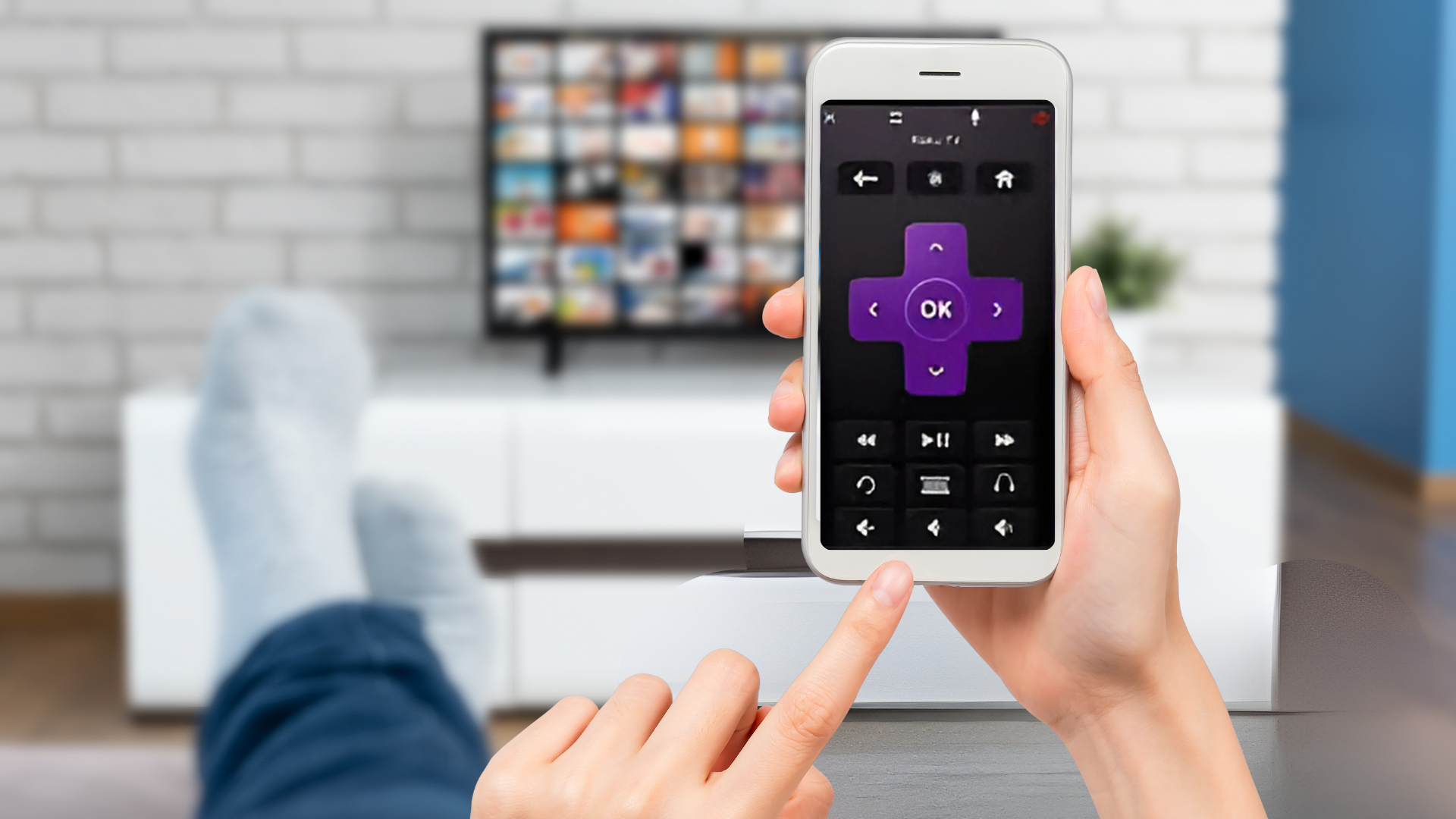
Imagine controlling your TV, air conditioner, sound system, and streaming devices all from your smartphone. No more hunting for multiple remotes between couch cushions or dealing with dead batteries at the worst possible moment. This technology has transformed our smartphones into powerful universal controllers.
The beauty of these applications lies in their versatility and user-friendly design. Whether you own a Samsung TV, LG air conditioner, or Sony sound system, a single app can manage them all. Let’s explore everything you need to know about universal remote control apps and how they can simplify your life. 📱
What Makes Universal Remote Apps Essential Today
The modern home is filled with various electronic devices, each traditionally requiring its own remote control. This cluttered approach creates unnecessary frustration and complexity. Universal remote apps eliminate this chaos by consolidating control into one accessible platform.


These applications use infrared technology or Wi-Fi connectivity to communicate with your devices. Most smartphones today come equipped with IR blasters or can connect to smart devices through your home network, making compatibility widespread and accessible.
Beyond simple channel changing, these apps offer advanced features like custom macros, voice control integration, and personalized user interfaces. They learn your preferences over time, creating shortcuts for your most-used commands and making your viewing experience seamless.
How Universal Remote Control Apps Actually Work
Understanding the technology behind these applications helps you maximize their potential. Two primary connection methods power these remote controls: infrared (IR) and Wi-Fi/network-based connectivity.
Infrared technology mimics traditional remote controls by sending light signals to your devices. Your smartphone’s IR blaster emits these signals when you press buttons within the app. This method works with older devices that lack smart connectivity features.
Wi-Fi-based control connects directly to smart devices through your home network. This approach offers additional advantages, including the ability to control devices from anywhere in your home without line-of-sight requirements. You can even control compatible devices remotely when away from home.
The setup process typically involves selecting your device brand and model from an extensive database. The app then configures the appropriate command codes, testing functionality to ensure proper communication. Most apps complete this process in under two minutes. ⚡
Key Features That Set Premium Apps Apart
Not all universal remote apps offer the same functionality. Premium applications distinguish themselves through comprehensive feature sets designed to enhance user experience and expand compatibility.
Device Compatibility and Database Depth
The best apps support thousands of device brands and models. Their databases include everything from popular manufacturers like Samsung, LG, and Sony to niche brands and older equipment. Regular updates ensure new devices receive immediate support upon release.
This extensive compatibility extends beyond televisions to include air conditioners, projectors, DVD players, cable boxes, streaming devices, cameras, and even smart home appliances. The ability to control such diverse equipment from one interface represents tremendous value.
Customization and Personalization Options
Top-tier apps allow users to customize button layouts, create themed interfaces, and design room-specific control panels. You might create a “Movie Night” profile that dims lights, powers on your TV and sound system, and launches your streaming service with a single tap.
Widget support brings frequently used controls directly to your home screen, eliminating the need to open the app for basic commands. This convenience factor significantly enhances the user experience during daily interactions.
Smart Integration and Voice Commands
Modern universal remote apps integrate with virtual assistants like Google Assistant and Siri. This integration enables voice-controlled operation, adding another layer of convenience to your smart home ecosystem.
You can create routines that trigger multiple actions across different devices. Saying “Good morning” might turn on your TV to the news channel, adjust your thermostat, and start your coffee maker—all coordinated through your remote app’s smart home integration.
Choosing the Right Universal Remote App for Your Needs
Selecting the appropriate app depends on several factors unique to your situation. Consider your device ecosystem, preferred features, and budget when making this decision.
Start by inventorying the devices you want to control. Check whether they support IR control, Wi-Fi connectivity, or both. This assessment helps narrow down compatible apps and ensures you won’t encounter frustrating compatibility issues after installation.
Read user reviews specifically mentioning your device brands. Real-world feedback reveals how well apps perform with particular equipment, highlighting potential issues or exceptional compatibility that manufacturer specifications might not mention.
Free versions often provide adequate functionality for basic needs, while premium subscriptions unlock advanced features like cloud backup, unlimited devices, and priority support. Evaluate whether these extras justify the cost based on your usage patterns. 💡
Setting Up Your Universal Remote for Optimal Performance
Proper configuration maximizes your app’s effectiveness and ensures reliable performance. Follow these best practices during initial setup and ongoing use.
Begin with your most frequently used device, typically your television. This approach allows you to familiarize yourself with the app’s interface and functionality before adding additional equipment. Test all essential buttons to confirm proper operation.
Position your smartphone with clear line-of-sight to IR devices when sending commands. Although not required for Wi-Fi-controlled equipment, IR signals require unobstructed paths between your phone and the receiving device.
Create logical room groupings if your app supports this organization method. Separating living room devices from bedroom equipment streamlines navigation and reduces confusion when managing multiple rooms.
Troubleshooting Common Connection Issues
Even the best apps occasionally encounter connectivity problems. Understanding common issues and their solutions minimizes downtime and frustration.
- Verify your smartphone’s IR blaster is functional by testing with a known working device
- Ensure Wi-Fi-connected devices and your phone share the same network
- Check for app updates that might address compatibility issues
- Restart both your smartphone and the target device when experiencing persistent problems
- Confirm the device isn’t in a power-saving mode that disables remote connectivity
If specific buttons don’t respond correctly, try re-pairing the device or selecting an alternative model code from the same manufacturer. Many brands use similar command sets across product lines, offering potential workarounds for compatibility challenges.
Advanced Tips for Power Users
Once you’ve mastered basic operations, these advanced techniques unlock even greater functionality and convenience from your universal remote app.
Creating Complex Macro Commands
Macros automate sequences of actions, executing multiple commands with a single button press. Design a “Bedtime” macro that turns off all entertainment devices, sets your thermostat to sleep mode, and activates your security system.
Layer delays between commands within macros to accommodate devices that need time to power on or switch inputs. A one or two-second pause ensures each command completes before the next begins, preventing failed sequences.
Leveraging Cloud Sync Capabilities
Apps offering cloud synchronization backup your configurations and settings remotely. This feature proves invaluable when switching phones or recovering from device failures, as your complete setup restores automatically after reinstalling the app.
Cloud sync also enables sharing configurations across multiple smartphones in your household. Family members can access identical remote setups without manually configuring each device on every phone. 🌐
Privacy and Security Considerations
Remote control apps require certain permissions and network access to function properly. Understanding these requirements helps you make informed decisions about your digital security.
Most apps request access to your Wi-Fi network information, device storage, and sometimes location services. These permissions enable device discovery, configuration backup, and regional feature optimization respectively.
Reputable developers implement encryption for data transmission between your phone and controlled devices. Review privacy policies to understand how your usage data is collected, stored, and potentially shared with third parties.
Avoid granting unnecessary permissions that don’t align with the app’s stated functionality. If a remote control app requests access to contacts or camera without clear justification, consider alternative options that respect your privacy more appropriately.
The Future of Universal Remote Control Technology
Emerging technologies promise to expand universal remote capabilities beyond current limitations. Artificial intelligence integration will enable predictive controls that anticipate your needs based on usage patterns and time of day.
Gesture controls and augmented reality interfaces may eventually replace traditional button layouts. Imagine pointing your phone at a device and seeing contextual controls appear on your screen, tailored to that specific equipment.
Improved device interoperability standards will simplify setup processes and expand compatibility across manufacturers. Industry-wide adoption of common protocols reduces fragmentation and ensures seamless integration regardless of brand preferences.
As 5G networks mature, remote control applications might manage devices from anywhere with minimal latency. This capability extends beyond home entertainment to encompass comprehensive smart home management through unified interfaces. 🚀
Maximizing Battery Life While Using Remote Apps
Frequent use of universal remote apps can impact your smartphone’s battery life. Implementing these strategies extends usage time between charges.
IR transmission consumes relatively little power, but keeping your screen active during extended viewing sessions drains batteries quickly. Enable automatic screen dimming or timeout features within the app settings to minimize this impact.
Wi-Fi-based control typically uses less power than IR for equivalent operations. When controlling compatible smart devices, prioritize network-based commands over infrared alternatives.
Close the app completely when not in use rather than leaving it running in the background. Many apps continue monitoring for devices or maintaining network connections even when minimized, unnecessarily consuming resources.
Comparing Universal Remote Apps to Physical Remotes
Traditional remote controls offer certain advantages that apps cannot fully replicate. Physical buttons provide tactile feedback without requiring visual attention, enabling control without looking away from your screen.
However, apps counter with superior versatility and feature richness. Updates introduce new functionality without requiring hardware purchases, and customization options far exceed what physical remotes can offer.
The ideal solution for many users involves maintaining a primary physical remote for frequently used controls while leveraging apps for advanced features, additional devices, and backup functionality. This hybrid approach combines the benefits of both technologies.
Accessibility Features for Users with Special Needs
Universal remote apps increasingly incorporate accessibility features that make home entertainment more inclusive. Voice control eliminates the need for precise button pressing, benefiting users with motor impairments or visual limitations.
Customizable interfaces with large buttons and high-contrast color schemes improve visibility for users with low vision. Screen reader compatibility ensures blind users can navigate and operate their devices independently.
Haptic feedback provides confirmation when commands are sent successfully, giving users with hearing impairments non-auditory confirmation of their actions. These thoughtful design elements demonstrate how technology can enhance independence and quality of life. ♿
Environmental Impact: Going Remote-Free
Replacing multiple physical remotes with a single app reduces electronic waste and battery consumption. The average household disposes of several remotes over a decade as devices are replaced or remotes malfunction.
Eliminating the need for disposable batteries prevents toxic materials from entering landfills and reduces the environmental cost of battery production and transportation. A single smartphone app can replace dozens of batteries annually.
While smartphones also have environmental costs, most people already own these devices for other purposes. Leveraging existing equipment for additional functionality represents efficient resource utilization compared to manufacturing separate control devices.
Getting the Most Value from Free Versions
Many universal remote apps offer robust functionality without requiring paid subscriptions. Understanding the limitations and optimizing usage helps you maximize value before considering premium upgrades.
Free versions typically support controlling a limited number of devices, often between one and five. Prioritize your most-used equipment within this constraint, adding premium devices that benefit most from app-based control.
Advertisement-supported models generate revenue through occasional ads rather than subscription fees. These interruptions are usually minimal and don’t significantly impact functionality during actual device control.
Feature restrictions in free tiers often involve advanced capabilities like macros, cloud sync, or custom themes rather than basic control functions. Evaluate whether you genuinely need these extras based on your usage patterns before upgrading. 💰
Transforming Your Entertainment Experience Today
Universal remote control apps represent a practical convergence of convenience and technology that enhances daily life without requiring significant investment or technical expertise. Their ability to consolidate control, eliminate clutter, and provide advanced features makes them essential tools for modern homes.
The transition from multiple physical remotes to app-based control happens gradually and naturally. Start with a single device, familiarize yourself with the interface, and expand your setup as confidence grows. This measured approach ensures a smooth learning curve without overwhelming complexity.
As our homes become increasingly connected and device ecosystems expand, centralized control solutions become not just convenient but necessary for maintaining sanity. Universal remote apps position you perfectly for this smart home future while delivering immediate practical benefits today.
Download a universal remote app and experience the simplicity of controlling your entertainment world from your smartphone. The convenience, functionality, and freedom from remote clutter will transform how you interact with technology in your home. 🏠
